
Features
One workflow, from backup to restore.
ONbackup captures every Meraki network's configuration on a schedule, keeps a versioned history, flags drift the moment it happens, and gets you back to a known-good state in minutes, with help on hand whenever you need it.
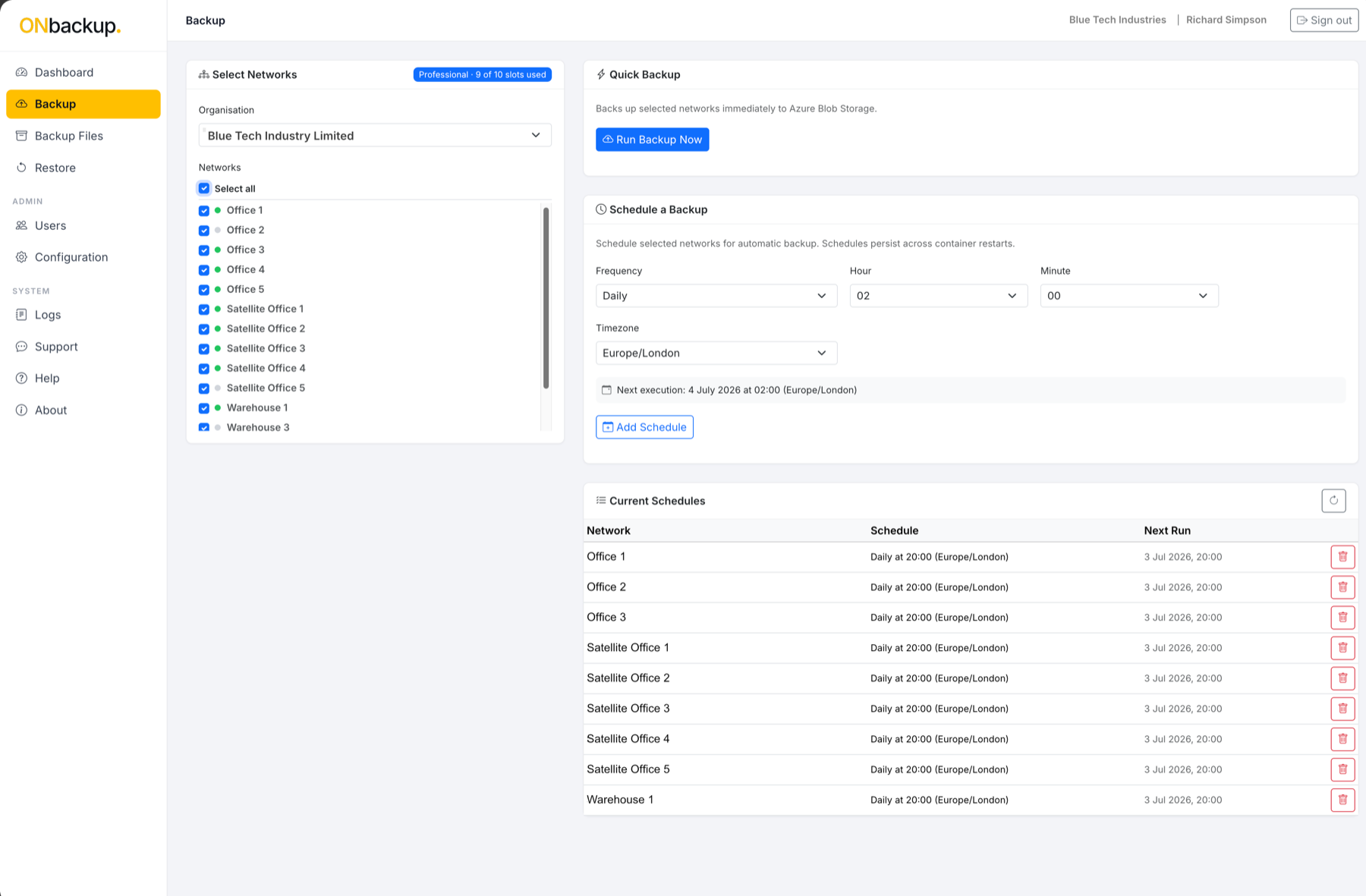
Backup
Back up every network, automatically.
- Scheduled backups of every Meraki network's configuration: SSIDs, VLANs, firewall and security rules, port profiles, group policies and organisation-wide settings.
- Versioned history: every backup is a distinct, timestamped snapshot, so you can see exactly what changed between any two points in time.
- Single Meraki API key to get started, no agents to install, no hardware on site.
Multi-organisation
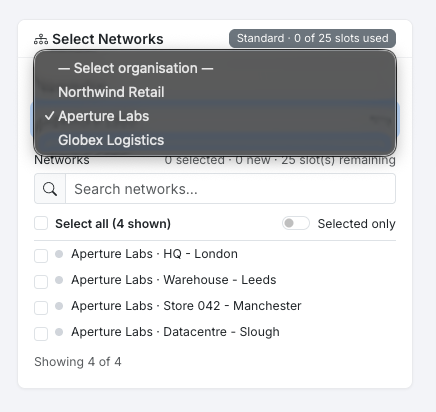
One login, every Meraki organisation.
- Switch between every Meraki organisation you manage from a single ONbackup account, whether that's a handful of sites or subsidiaries, or a growing list of clients.
- Networks are searched and selected per organisation, with select-all for fast setup, so bringing a new organisation online takes minutes.
- Your plan's network slots are shared across every organisation you connect, so you decide how coverage is divided.
- Just as at home for an in-house IT team running a few Meraki organisations as it is for an MSP managing many clients from one account.
Restore
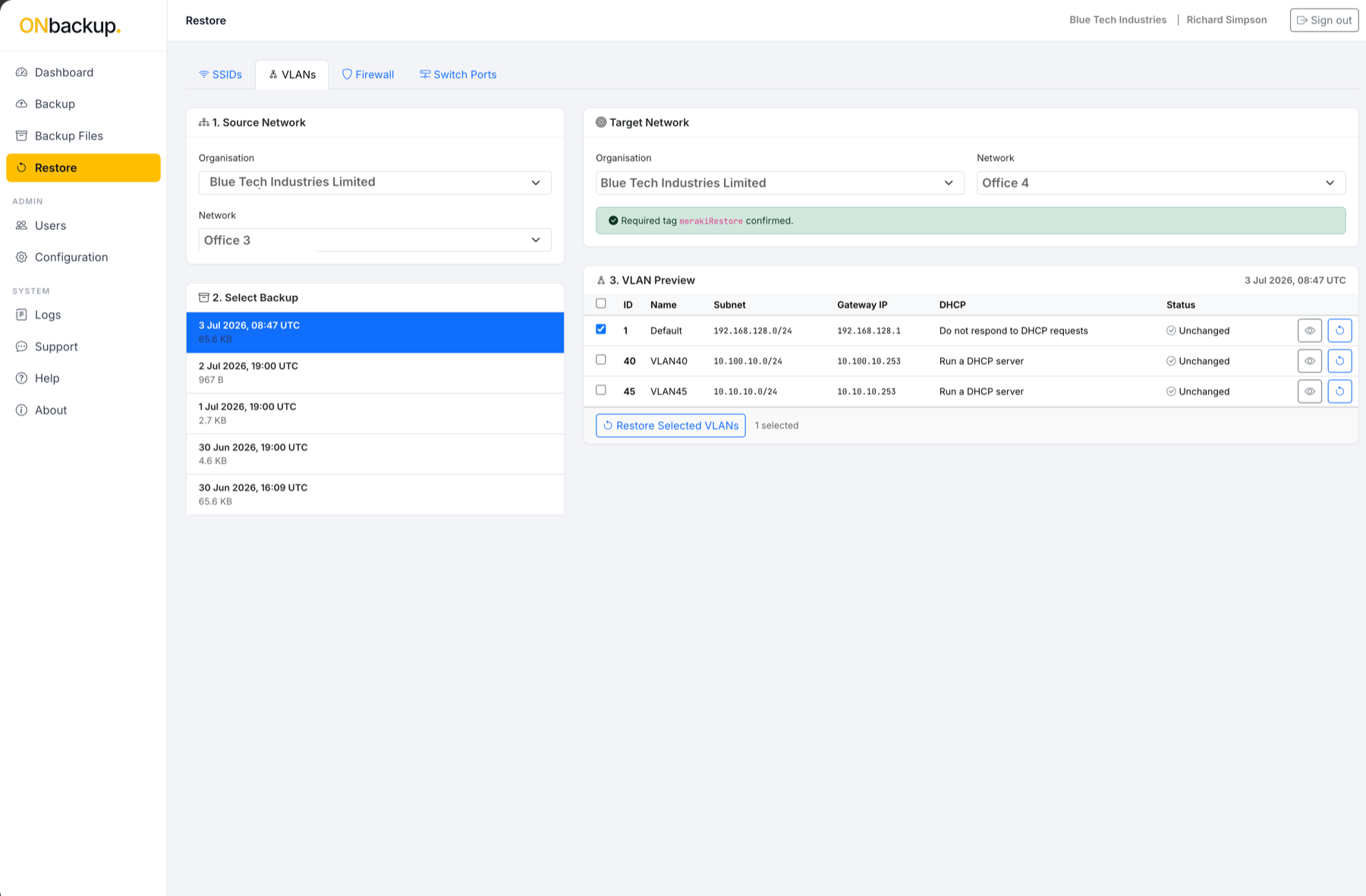
Restore a network, or a single change, in minutes.
- One-click restore of a full network configuration to any previous snapshot.
- Targeted rollback: restore just SSIDs, VLANs, firewall rules or switch ports, without touching the rest of the configuration.
- No waiting on Cisco support or manual reconfiguration, restores run directly through the Meraki API.
Snapback
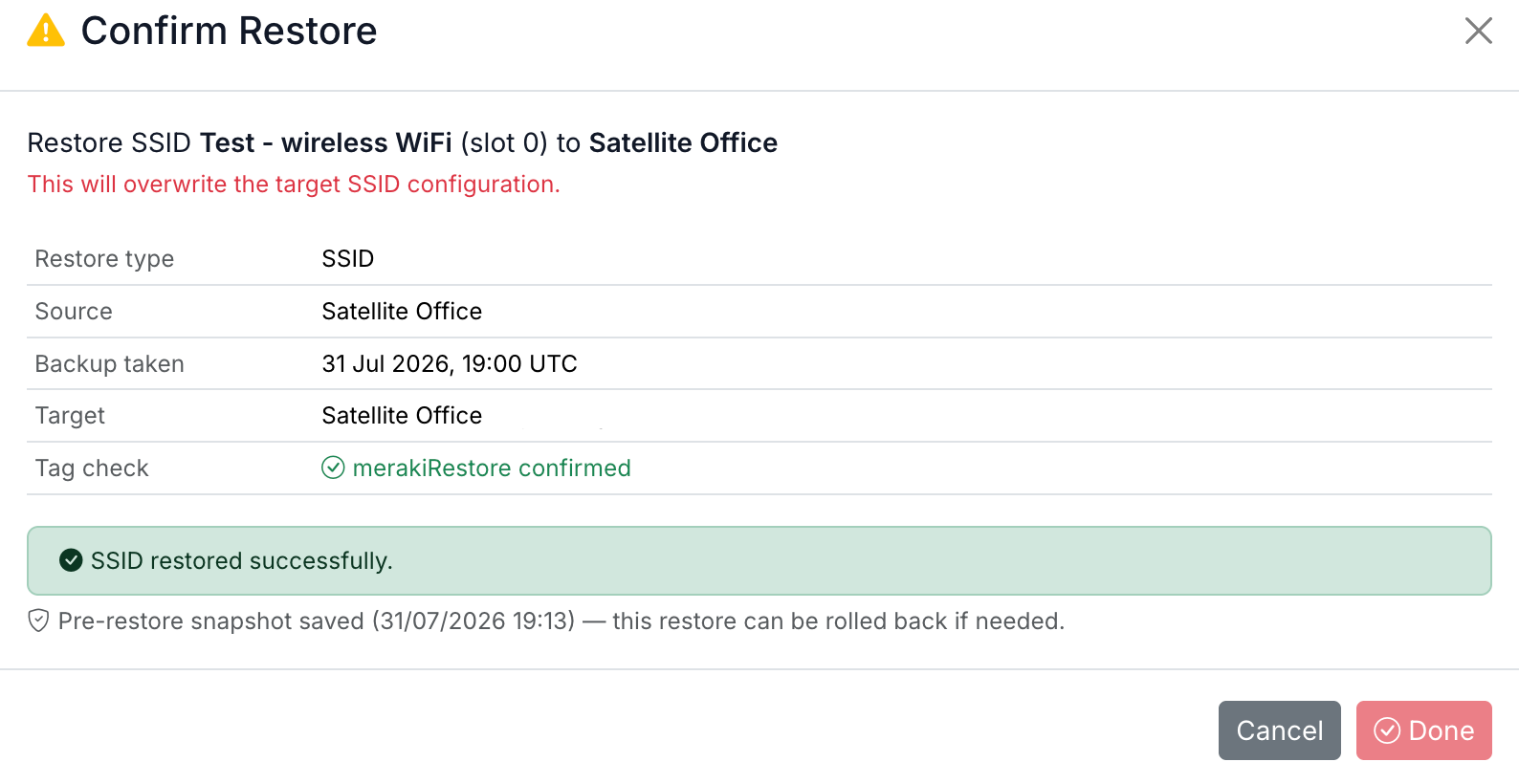
Every restore starts with a Snapback: a safety snapshot of the target, saved automatically the moment before any change is applied.
If a restore doesn't go the way you expected, roll back to exactly the state you were in before, no separate backup, no manual prep.
Compare
See exactly what changed, before you act.
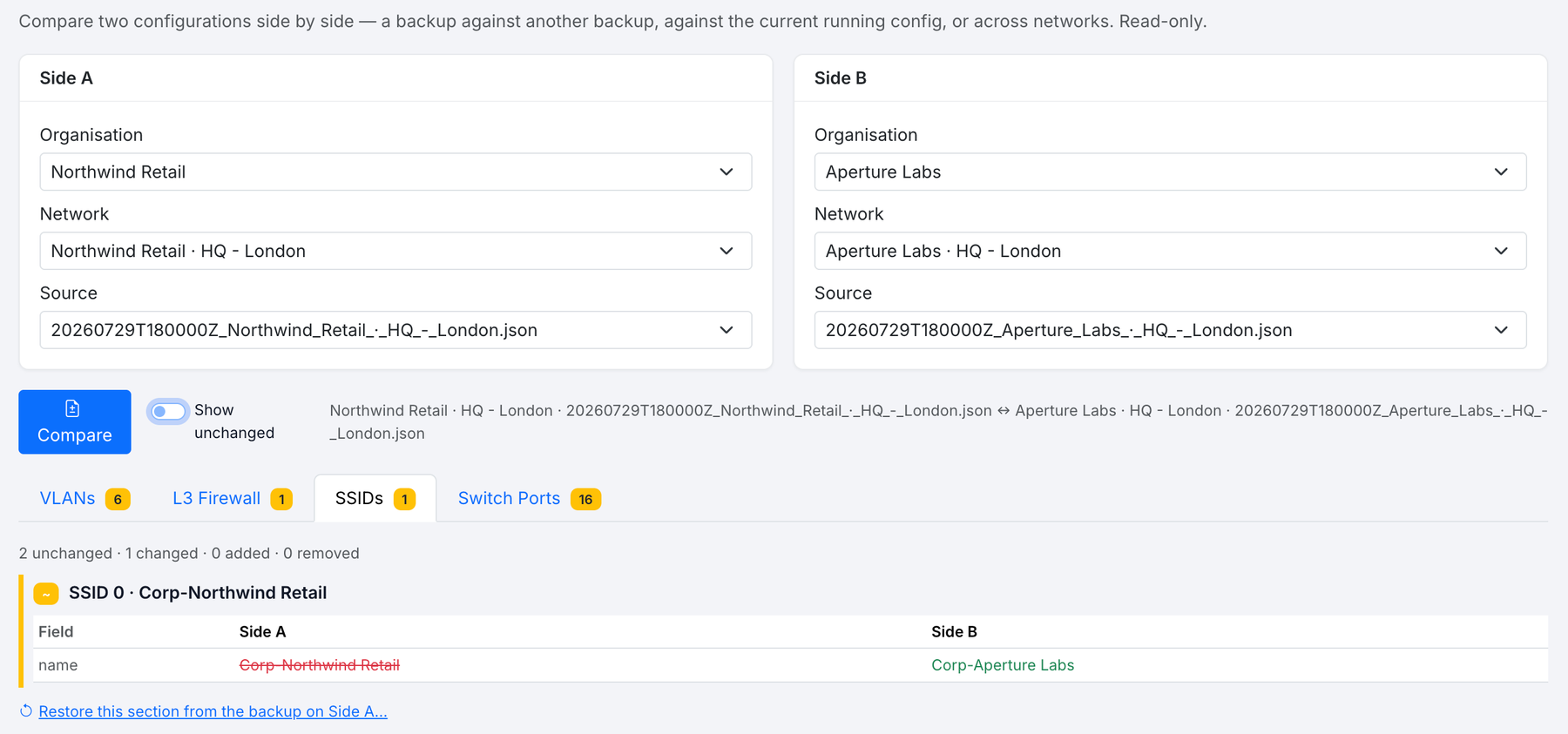
- Compare any two configurations side by side: two backups, a backup against the current running configuration, or even across two different networks.
- VLANs, L3 firewall rules, SSIDs and switch ports are broken down field by field, with additions, removals and changes clearly marked.
- Read-only by design, comparing configurations never risks changing anything.
- Jump straight from a difference to restoring just that section.
Activity log
See who did what, and when.
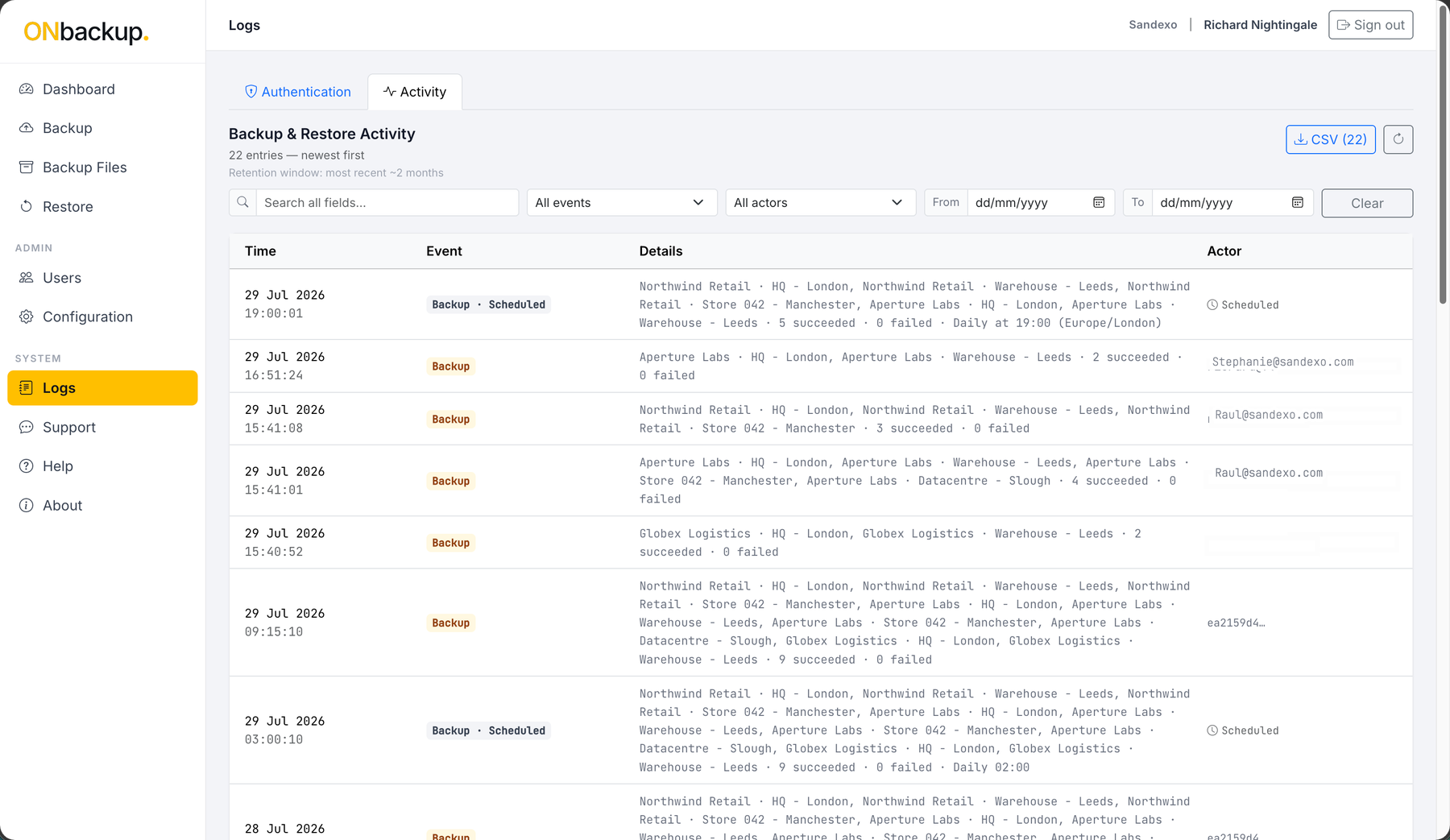
- Every backup and restore is logged: which organisation, which networks, how many succeeded or failed, and exactly when it happened.
- Actor attribution on every entry, a named user, or "Scheduled" for automated runs, so you always know who, or what, triggered it.
- Search the log, filter by event type or actor, and export the full activity history to CSV.
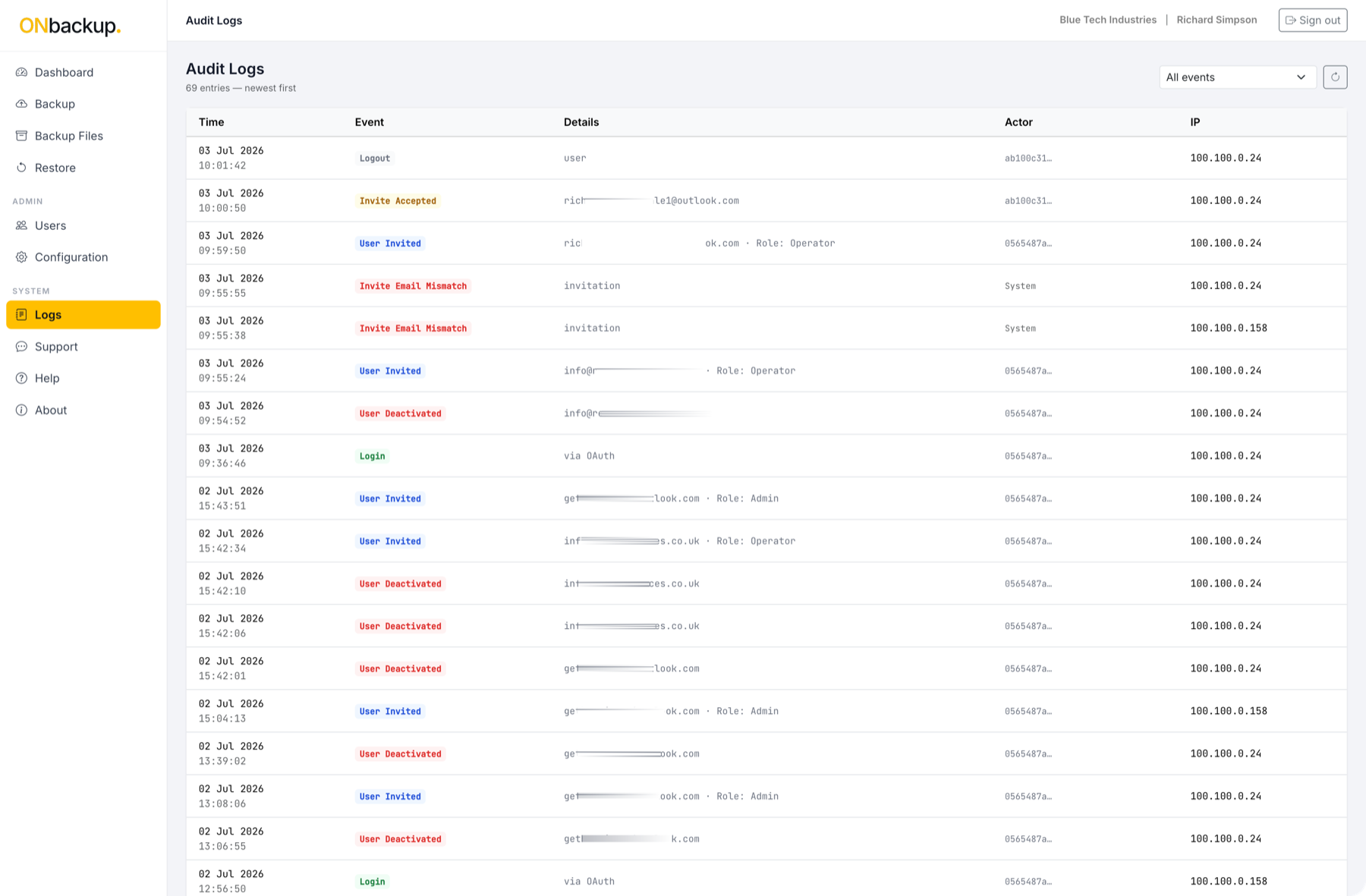
- A separate Authentication log covers sign-ins and account changes, so activity and account security stay easy to tell apart.
Monitor
Catch configuration drift the moment it happens.
- Change detection compares every new backup against the last snapshot and flags what's different.
- Alerts on unexpected changes, so anything outside a maintenance window gets noticed immediately, not at the next audit.
- A per-network timeline of every backup and every change, in order.
Secure
Secure by default, for every customer.
- Isolated per-customer infrastructure: your own dedicated Azure storage account and Key Vault, never shared or pooled with other customers.
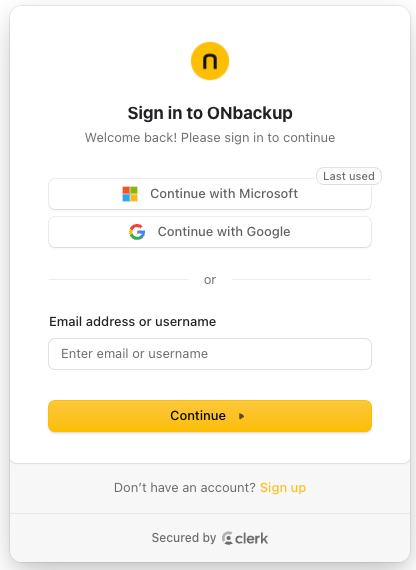
- Authentication powered by Clerk, an industry-leading identity platform used by thousands of SaaS products, with multi-factor authentication on every sign-in.
- Sign in with email and password or single sign-on via Google or Microsoft out of the box, additional identity providers and enterprise SSO configurations are available on request, adapted to your organisation's requirements.
- A full audit trail of every backup, restore and configuration change, with timestamp and user.
Support
Help is built in, not bolted on.
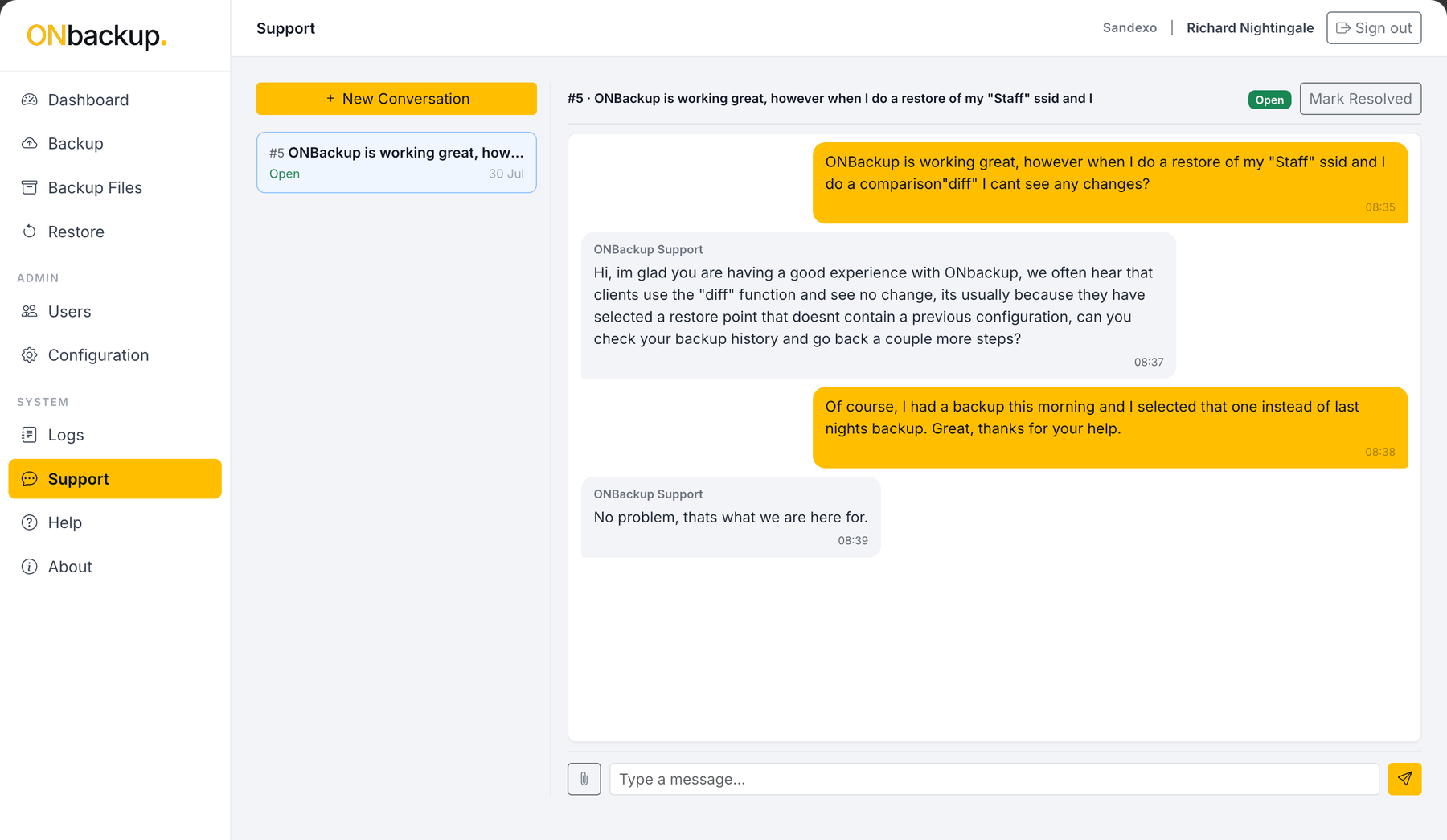
- A live, in-app conversation with our support team: ask a question and get a real reply, with each conversation tracked as Open until it's marked Resolved.
- Attach a file directly to a conversation when a screenshot says it best.
- A searchable Help & Documentation Centre covers setup, features, licensing and retention, for when you'd rather find the answer yourself.
Security enforced at every layer.
Isolated per-customer infrastructure
Each customer's backups live in their own dedicated Azure storage account and Key Vault, never pooled or shared.
Multi-factor authentication
Every sign-in is backed by a second factor, either an authenticator-app code or single sign-on with Google or Microsoft, so a password on its own is never enough.
Configurable retention
Choose how long backup history is kept, so retention matches your own policy rather than a fixed default.
A defensible audit trail
Every backup and restore is recorded with a timestamp and the person behind it, giving you a clear, accountable history whenever you need it.